Do Screenshot Stitcher Apps Upload Your Photos? A Privacy Check
Screenshots often contain private chats, receipts, and account details. Here's how to tell whether a stitching app processes them on your phone or on a server, and what permissions actually mean.
The screenshots you stitch are usually the private kind: conversations, orders, bank pages. So it's worth asking where a stitching app sends them.
On-device vs server
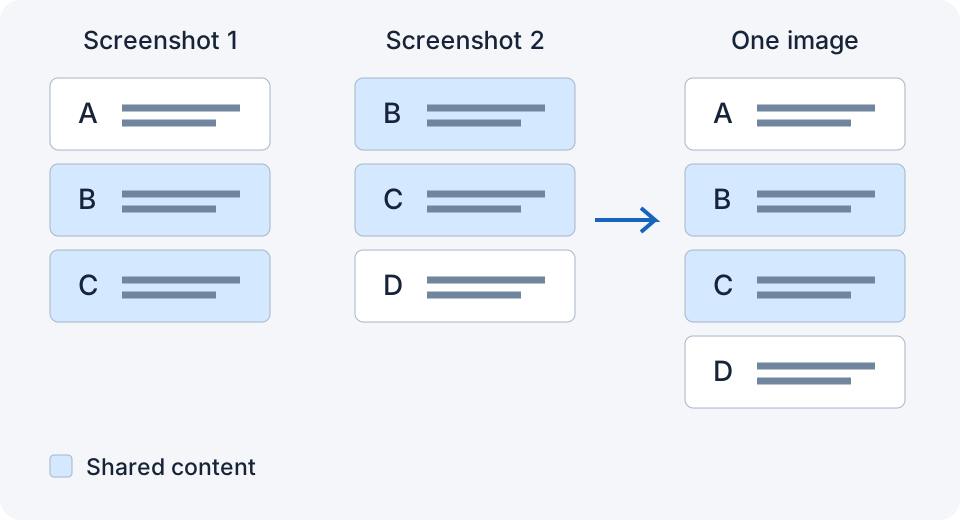
Stitching can be done on an iPhone, but speed and memory use depend on the number, size, and content of the images. Uploading is not required for local stitching. Whether an app uploads anything depends on its design and privacy policy.
How to tell:
- The App Store listing has a Privacy section ("App Privacy"). If it says "Data Not Collected", the developer has declared it collects nothing. That's a declaration, not proof, but it's a start.
- Try with screenshots already downloaded, Airplane Mode on, and Wi-Fi off. A successful stitch shows that operation can run offline; it does not prove the app never uploads later.
- Check whether it requires an account. Basic stitching should not.
What "Full Photos Access" means
For reading a photo library, iOS can offer limited access to selected photos, full access, or no access. Apps can also request add-only permission for saving, or use the system photo picker without library-wide access. Many stitching apps ask for full access, and that sounds alarming. The reason is practical: to find your recent screenshots automatically, the app has to be able to see the library. With limited access, the app can keep reading the photos you have already allowed. New screenshots may need to be added to that selection; you do not have to reselect the same photos every time.
Full access does not mean the app uploads anything. It means it can read your library on your device. The privacy policy and label describe how it uses that access; an offline test alone cannot establish what it sends when connected.
What to look for
| Question | Good sign |
|---|---|
| Does it work offline? | Yes |
| Account required? | No |
| App Privacy label | "Data Not Collected" or minimal |
| Analytics and purchase services | Clearly disclosed separately from image processing |
| Deletes originals? | Only after your explicit choice; LongShot also uses iOS confirmation |
The apps
Stitch It says image processing stays on-device, but its App Store label also lists tracking identifiers, advertising, analytics, and diagnostics. Picsew says normal image processing is local and declares usage analytics and diagnostics. Tailor currently declares “Data Not Collected”. Those labels are developer declarations, not an independent audit.
I built LongShot to stitch screenshots on-device, with no account or ads, and source screenshots are only deleted after the iOS confirmation prompt. Versions using RevenueCat send purchase and entitlement data, not screenshots; the website has separate visitor and performance statistics. The current privacy policy explains those differences.
If a screenshot contains something you would never email, an offline test is a useful first check. It does not settle the whole privacy question.
Related
- Tailor vs Picsew vs LongShot: Which iPhone Screenshot Stitcher Should You Use?
- Why iPhone's Full-Page Screenshot Doesn't Work in Most Apps (And What to Do)
- Set up Back Tap for LongShot: an illustrated guide
Sources checked: 1 · 2 · 3 · 4 · 5 · 6 · 7
Something not working? Email me: longshotapp@163.com
LongShot for iPhone
Combine overlapping screenshots into one long image.